
I attached featured images to 19 posts. The WordPress admin showed them correctly, thumbnails were generated, and the page source had no og:image.
Stranger still: the JSON-LD on the same page already pointed thumbnailUrl at the new cover.
That combination — present in schema, absent from Open Graph — is the diagnosis. It narrows the problem to one place immediately.
Why that combination localises the fault
Those two outputs travel different paths through Yoast.
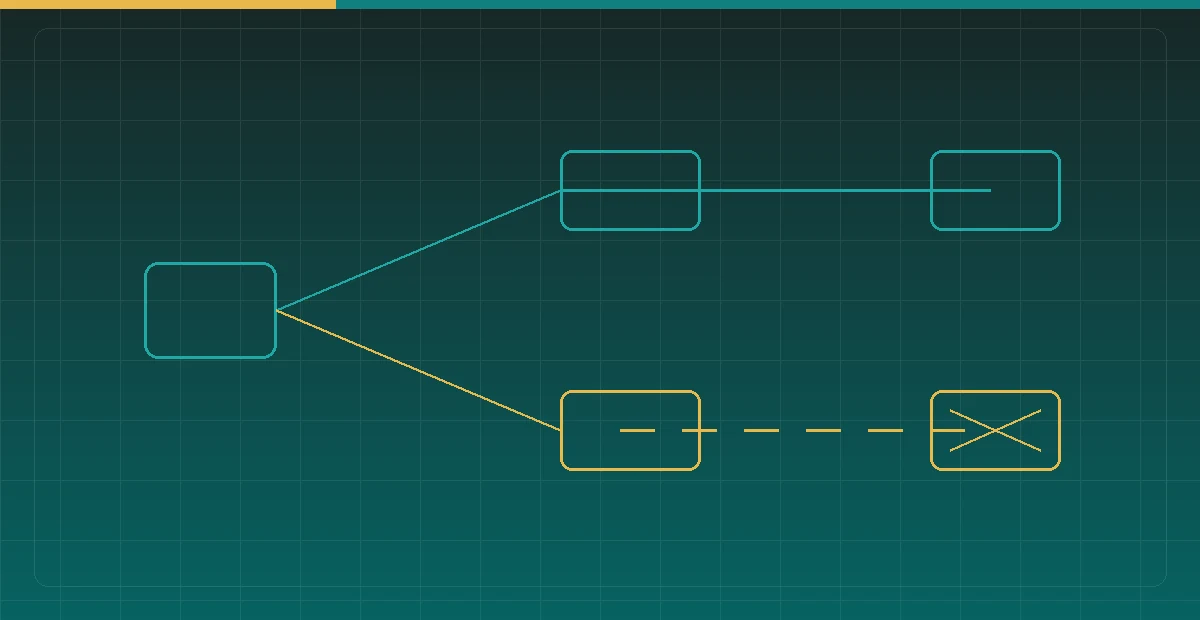
The image in JSON-LD is computed at render time: read the post’s _thumbnail_id, resolve the attachment URL, put it in the schema graph. So the moment a featured image is genuinely set, it appears.
Social meta tags like og:image are read from a precomputed index table instead — wp_yoast_indexable. That table holds one row per post carrying open_graph_image, twitter_image, title, description and more, so that none of it has to be recomputed per request.
And there is the problem: that row is written when the post is saved. I attached the covers with wp media import --featured_image, a path that does not fire Yoast’s indexable update hook, so the row still held its old “no image” value.
Which makes the pairing a dependable test:
- Schema has the image, Open Graph does not → the featured image is fine, the index is stale
- Neither has it → no featured image was actually set; go and check
_thumbnail_id
Without looking at the schema, a missing og:image invites the theory that the featured image did not take, and then repeated attempts to re-set it — a step that can never change the outcome.
Confirming it
Query the table directly. Get the prefix, then look at that one column:
PREFIX=$(wp db prefix)
wp db query "SELECT object_id, open_graph_image
             FROM ${PREFIX}yoast_indexable
             WHERE object_type='post' AND object_id IN (1031,1032,1033);"
If open_graph_image is NULL while the posts do have featured images, that is the confirmation.
The fix
The cleanest move is to delete those rows. On the next request for a post with no indexable row, Yoast builds a fresh one:
wp db query "DELETE FROM ${PREFIX}yoast_indexable
             WHERE object_type='post' AND object_id IN (1031,1032,1033);"
That sounds brutal and is in fact safe — the table is a cache, not a source of truth. Every column in it is derivable from the post, its attachments and the plugin’s settings. Deleting a row costs one slightly slower request.
After deleting, request the page once to trigger the rebuild before checking. I checked immediately after deleting the first time, saw the old output, and nearly concluded the approach was wrong.
# first request rebuilds; only the second tells you anything
curl -s -o /dev/null "$URL"
curl -s "$URL" | grep -o 'og:image[^>]*'
Do not forget the CDN either. With an edge cache in front, what you receive may be its copy of the old HTML — append a random query parameter to bypass it, confirm, and only then purge.
The less fiddly option
Yoast ships a rebuild command, so the database need not be touched at all:
wp yoast index --reindexThe drawback is that it rebuilds the entire site. On a large site that takes a long while and puts real load on the database. For a dozen or two posts, deleting exactly those rows is the better trade.
Purge in the wrong order and you have not purged
On this site, more than Yoast’s table sits between a change and what a user sees. There are at least four layers, each capable of holding the previous layer’s stale result:
database (source of truth)
  -> Yoast indexable table (derived SEO metadata)
  -> WordPress object cache / transients (derived page fragments)
  -> page cache (whole HTML)
  -> CDN edge cache (the copy nearest the user)
The essential point is to purge from the source outward. Purge the CDN before clearing the Yoast table and any request arriving in between causes the CDN to re-fetch from the origin — which is still serving the old og:image. The cache has been “purged” and refilled with the same stale content, and you have spent your purge.
The correct order is that list top to bottom: change the database, delete the indexable row, clear object and page caches, purge the CDN last. Each step must have actually taken effect before the next, or a downstream layer re-caches upstream content that has not updated yet.
Verification runs in the opposite direction: confirm the origin is correct using a randomised query parameter, then confirm the edge has followed using the plain URL. Testing only one is misleading — the random-parameter test alone suggests everything is fixed (while the edge may still be serving stale), and the plain URL alone suggests nothing was fixed (while the origin may have been correct all along).
How to find every derived cache systematically
Those four layers describe this site; another system will differ. The method for finding them generalises: change one field, then work backwards from what the end user sees to find where the change stopped.
Concretely, use a probe value — a string that appears nowhere else, say temporarily setting a title to ZZTEST-20260808 — and check for it layer by layer:
# 1. source data
wp post get $ID --field=post_title

# 2. derived table
wp db query "SELECT title FROM wp_yoast_indexable WHERE object_id=$ID"

# 3. origin render (random parameter bypasses every cache)
curl -s "https://example.com/slug/?nc=$RANDOM" | grep -o 'ZZTEST-[0-9]*'

# 4. edge (plain URL)
curl -sI "https://example.com/slug/" | grep -i cf-cache-status
Wherever the probe value disappears, that layer holds a cache requiring its own invalidation. The advantage of this method is that it does not depend on knowing in advance how many cache layers exist — it works backwards from observed behaviour, so it surfaces layers you did not know were there.
Write the result down afterwards. This knowledge is hard to obtain by reading code (caches are scattered across plugins, themes, server configuration and a CDN dashboard), but once recorded, every subsequent change can follow the same sequence without repeating the investigation.
The general shape of this bug
The specifics are a Yoast implementation detail, but the shape is common: one piece of data has two paths, one computed live and one cached, and a write updated only one of them.
The trigger is almost always bypassing the normal write path. Clicking Update in the admin runs the full save lifecycle and refreshes the cache along with it. WP-CLI, the REST API, direct SQL, or a plugin’s bulk operation may each touch only the source data.
So after any scripted bulk edit, one extra step earns its keep: take one changed item and verify it from the front end — not in the admin, but in the HTML a visitor receives. The admin usually reads the same source data you just wrote, so of course it looks right.
Had I stopped at “the admin shows the covers”, nineteen posts would have carried an empty og:image indefinitely, with nothing anywhere reporting an error.