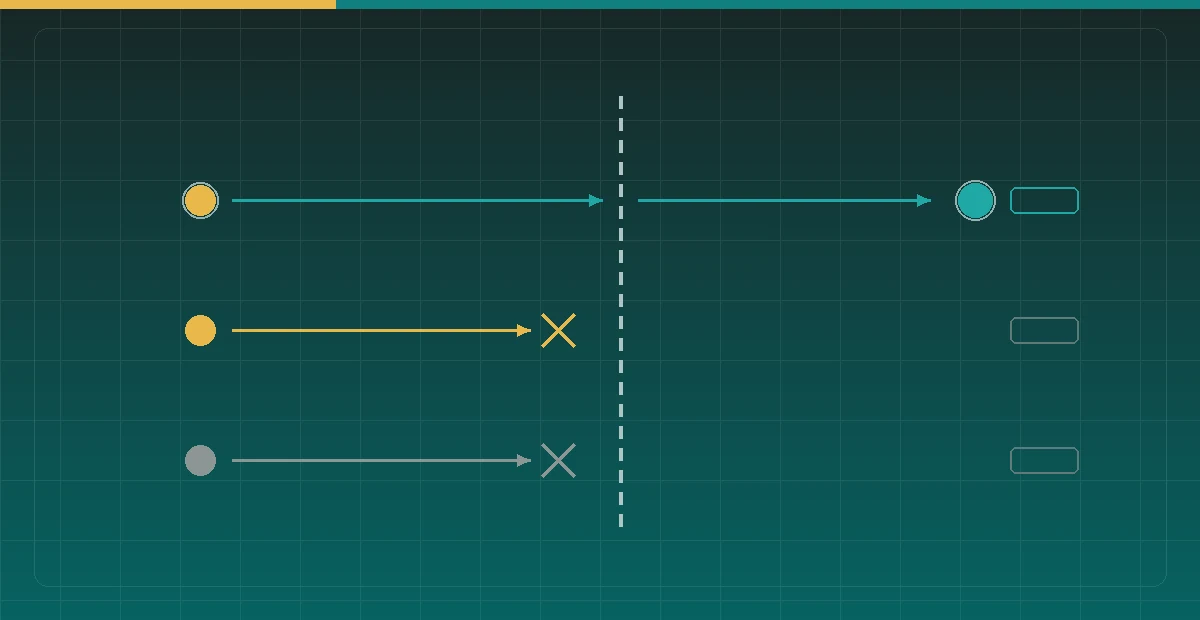

Exposing a machine at home to the internet starts with one question: does inbound actually work? It is an easy question to fool yourself on — scan from the machine itself and every port looks open, while nothing outside can reach it.
This is a full measurement run: why probing from the machine is guaranteed to mislead, what the line actually turned out to allow, and several traps that only surface once you probe from outside.
Why local probing is guaranteed wrong
Running a port scan on the machine at home, or nc -zv against yourself from the same Mac, tells you something entirely different from what a visitor on the internet sees.
The immediate cause is a local transparent proxy. Tools like Clash in TUN mode take over the whole network stack, so every TCP connection attempt lands on them first. They accept the connection and then decide how to forward it, which makes every port look open — including ports with nothing listening at all.
Even without a proxy, connecting to your own public IP from inside the LAN is unreliable: most consumer routers don’t support hairpin NAT, so that path either fails or gets short-circuited internally. Neither outcome reflects what an external visitor experiences.
The only trustworthy method is to probe inward from a machine genuinely on the internet. One cloud host is enough:
ssh cloud-host "nc -zv -w 5 $HOME_IP $PORT"A reading without a control port is void
Probing from outside is still not sufficient. The remote command can fail for unrelated reasons — packet loss in between, a cloud provider’s egress policy, a typo, a network problem on the probing host. “Cannot connect” then gets misread as “the port is blocked.”
The fix is to include a port you are confident is closed in every probe. Test 22 alongside some arbitrary high port:
for p in 22 443 8443 9999; do
  ssh cloud-host "nc -zv -w 5 $HOME_IP $p" 2>&1 | tail -1
done
The rule is simple: if the control port also “connects,” discard the reading — something in the middle is accepting connections indiscriminately and you are not measuring port state. Conversely, if the control port correctly times out and a target port also times out, that “closed” result means something.
This rule fired twice during this run, and caught a wrong conclusion both times.
Step one: confirm it isn’t CGNAT
If the ISP hands out a carrier-grade NAT address, the entire port discussion is moot — there is no reachable public address at all, and you are limited to hole punching or a relay.
The test is whether the address falls in 100.64.0.0/10, the range RFC 6598 reserves for carrier-grade NAT. Seeing it is close to conclusive.
This line returned an ordinary public IPv4 address outside that range, pingable from the cloud host at roughly 155 ms round trip. That means DDNS with an A record is a viable plan; no relay required.
One wrinkle in finding your own public IP: the usual echo services outright failed on this line, while others worked. Probe scripts need several sources with fallback rather than one — when your single source is down you will blame your own network.
Step two: test ports individually, and separate “filtered” from “not listening”
The key result: 80 and 443 are both unreachable, and this is filtering by the ISP, not a missing listener.
How do you tell those apart? The control port. If 80 fails while 22 succeeds, the machine is up and the forwarding rules work, so the problem is specific to that port. If even the control fails, the whole path is down and the port is irrelevant.
On this line 22 connects, an idle high port connects, and only 80 and 443 are silently dropped — the classic residential HTTP port block that many ISPs apply to consumer lines to discourage hosting.
The probe also found 8443 already occupied by a two-factor gateway. That is the kind of fact only measurement produces; memory and documentation both get it wrong.
So any HTTPS service exposed on this line has to use some other high port. 80, 443, and 8443 are all unavailable.
The port choice constrains certificates and CDN
This step gets skipped a lot: once the port is chosen, two other things are constrained by it.
Certificate issuance is forced down one path. The HTTP-01 challenge requires the validator to reach your server on port 80, and port 80 is permanently unreachable here — so certificates on this line can only use DNS-01, completing the challenge by adding a TXT record through the DNS provider’s API. That is not a preference; it is the only option that works.
CDN proxying may not be available. If you want to put the address behind a CDN, check which ports it proxies first. Most CDNs proxy only a limited set of HTTPS ports — 443 plus a handful of specific others — and the high port you picked is quite likely not among them. If it isn’t, the DNS record has to stay in direct mode, or requests never arrive.
And staying direct means giving up origin-IP concealment, edge caching, and DDoS mitigation. That is a genuine trade-off, not a configuration detail.
Hairpin NAT: why testing from inside doesn’t count either
I said connecting to your own public IP from the LAN is unreliable. It’s worth expanding, because it’s the second most common way to fool yourself (the first being a proxy).
Suppose port forwarding is already configured: the router forwards a port on the public IP to some machine on the LAN. Now reach “public IP:port” from another machine on the same LAN. What happens?
The packet arrives at the router, which sees its own public address as the destination, rewrites it to the internal machine, and forwards. The internal machine receives the packet, sees a source address on its own subnet, and replies directly — bypassing the router. The originator is waiting for a reply from the public IP but receives one from a LAN address; the four-tuple doesn’t match, and the packet is dropped.
The result is a connection timeout even though port forwarding is entirely correct. Routers that support hairpin NAT also rewrite the source address on the way in, forcing the reply back through the router and closing the loop. Routers that don’t produce exactly the failure above — and most consumer routers don’t, or only under specific configuration.
The converse holds too: a successful test from inside doesn’t prove an internet visitor can connect — the router may be hairpinning correctly while the ISP blocks that port further upstream.
Neither direction is trustworthy, so the whole path is void. Only a probe from a genuinely public machine counts.
Before DDNS, find out how often the address changes
Once CGNAT is ruled out, the next step is usually DDNS: periodically write the current public IP into an A record. There’s an easy-to-skip prerequisite — establish how often that address actually changes.
A residential public IP typically changes when the line reconnects, at a frequency set by the ISP’s policy and how often you reconnect. If the address holds for weeks, the DDNS update interval can be relaxed. If it changes daily, you need a correspondingly short DNS TTL, or resolvers will keep pointing at a dead address.
Short TTLs have a cost, though: more queries, and every visitor re-resolving constantly. It’s a trade-off, and making it requires data — record the address over a period, then choose the TTL and update interval.
Incidentally, the DDNS script’s own IP lookup needs the same multi-source fallback. With a single echo service, an outage can make the script write a wrong address, or silently stop updating without raising an error.
Don’t assume anything about IPv6
This line has a real ISP-assigned IPv6 address on the NIC, which ought to be simpler than v4 — no NAT, no port forwarding. In practice everything dropped: unreachable by ping from the cloud host, port connections timing out.
The cause was the v6 default route pointing at another device on the LAN, so inbound has to be permitted on that box, not on the target machine. This topology is common in home networks — one device ends up acting as a router or bypass gateway and all v6 traffic flows through it.
The subtler trap is how you obtain your own IPv6 address for an AAAA record. The instinct is to ask an echo service, but that reports the address on the outbound path. Here, outbound v6 detoured through that bypass device to an entirely different provider, and the address the echo service reported bore no relation to the one on the NIC.
An AAAA record built from an echo service points somewhere that has nothing to do with you. Read the address from the interface directly:
ip -6 addr show scope global | grep inet6Outbound and inbound are independent paths — that is the whole point. An echo service can only ever tell you about outbound.
And then we bypassed inbound entirely
After all that measurement, the conclusion was to run every home service through a tunnel and open no inbound ports at all.
The tunnel is a long-lived outbound connection the machine establishes itself, and services are reached through it. Every constraint above — 80/443 filtered, 8443 taken, the CDN’s port list, IPv6 inbound broken, DNS-01 mandatory — stops applying. No port forwarding, no DDNS, nothing opened on the router.
Was the measurement wasted, then? No, for two reasons. It established that the line is not CGNAT, which means direct inbound remains available if it is ever genuinely needed. And when something breaks and the question “why can’t I connect directly?” comes up, these numbers are already the answer rather than a re-measurement.
Stated more generally: knowing a path is closed and not knowing whether it is open are different states. The first lets you commit to an alternative; the second keeps pulling you back to re-examine it every time something goes wrong.
The method, in short
Whatever you are measuring, this holds:
Measure from outside the thing being measured. A machine probing itself is never trustworthy, least of all when a proxy owns the network stack.
Include a control with a known answer in every measurement. If the control gives the wrong answer, discard the reading. This matters more than any specific probing technique, because it catches the whole class of “the instrument was broken and I blamed the subject.”
Distinguish the reason for “unreachable”, don’t just record it. Filtered, not listening, and route-unreachable all present as a timeout, and the fixes have nothing in common. The control port is what separates them.
Never treat an outbound observation as an inbound fact. Echo services, egress-IP lookups, outbound traceroutes — all describe outbound only. Inbound has to be confirmed by probing inward.