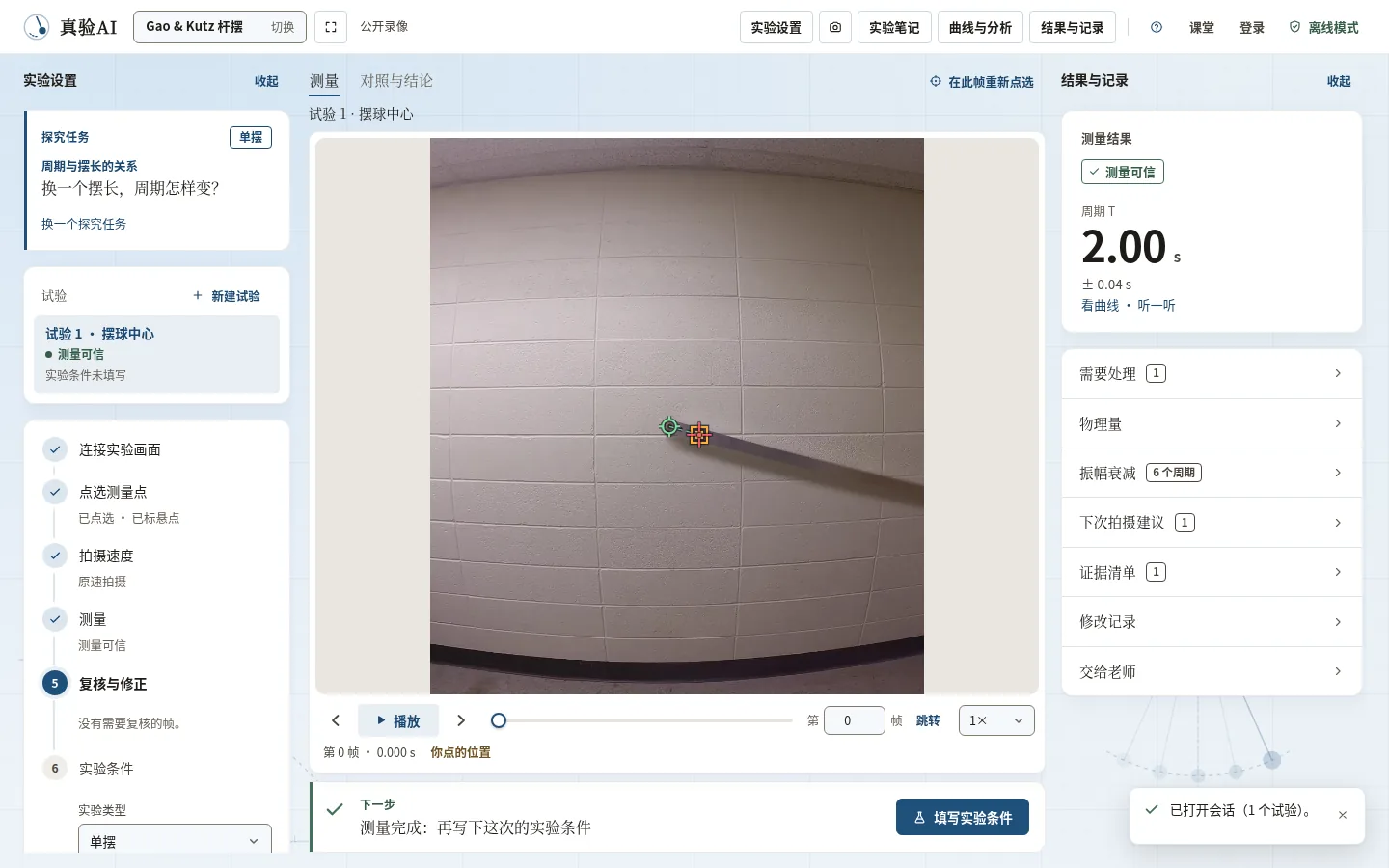

Point your phone at a pendulum and let go. On the computer, a trail unfolds with each swing, and complete periods are counted in real time. Stop recording, then finish the analysis on the original footage you just captured: the period, its error range and the matching frames of the experiment are all there to review.
真验AI (Zhenyan AI) uses a phone and a computer to record motion, measure data, and explain results. Students carry out the experiment while AI assists with tracking and analysis.
Students can return to the footage and data from the same experiment when checking how the observed motion relates to a physical law.
To start, fix the phone in front of the apparatus and it streams the picture to the computer. Choose a task, click the object you want to study, and the experiment can begin. The pendulum and the spring oscillator can be measured while you film. Afterwards, you can go back to the original footage, pause it, slow it down and step through it frame by frame, matching each change in the curve to a specific moment of the motion. See how a measurement comes together.
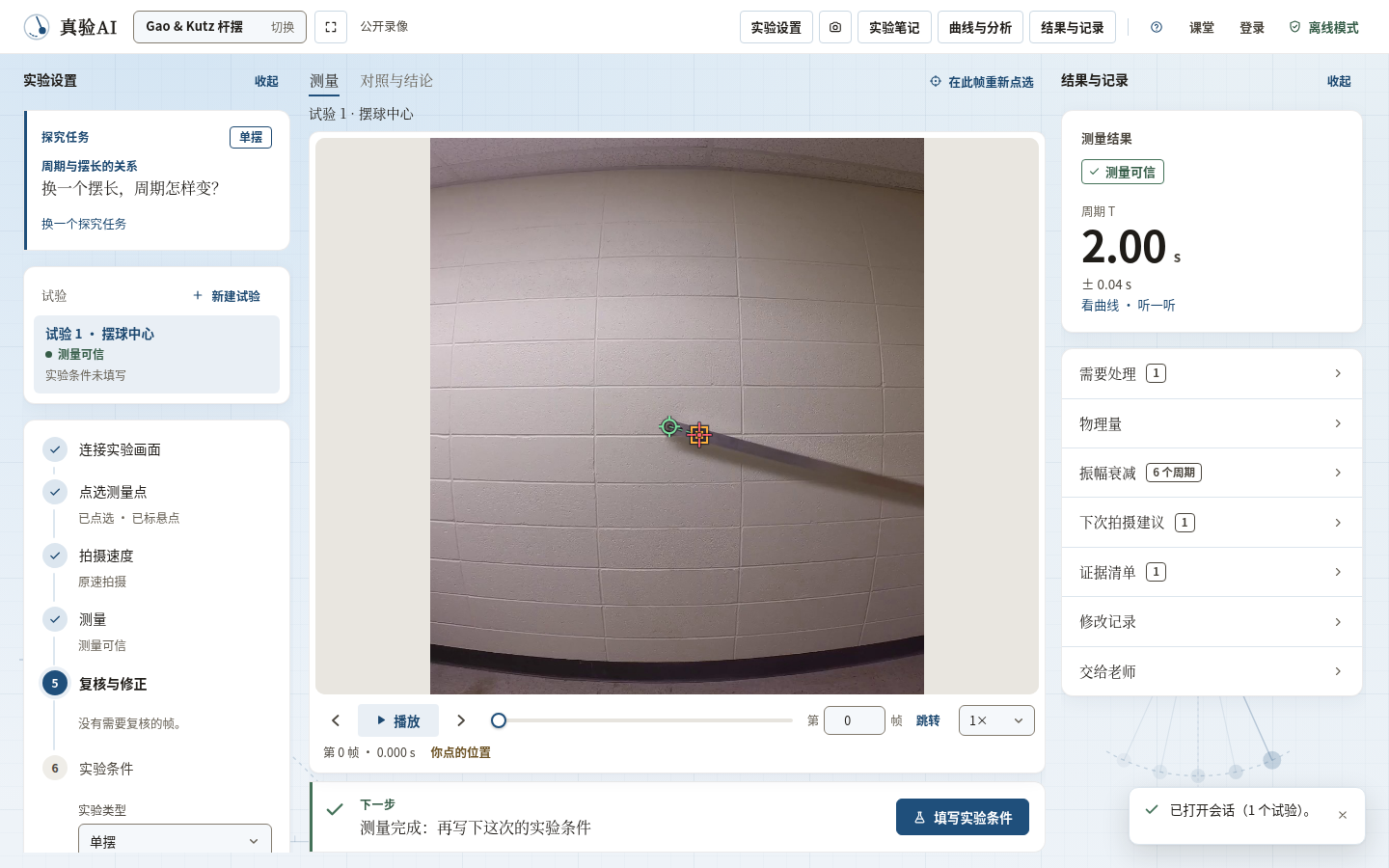
In class, students can replay a moment that passed too quickly, compare two runs side by side, or check a puzzling result against the original footage.
Before measuring, AI checks the brightness, sharpness, and stability of the picture. It suggests adjustments to the filming conditions and offers likely objects of study for you to select. While tracking a pendulum, a convolutional neural network helps check the object frame by frame. Tracking pauses during an obstruction and resumes once the bob is clearly visible again. In experiments such as the spring oscillator, a Siamese neural network can help locate the object when regular tracking struggles.
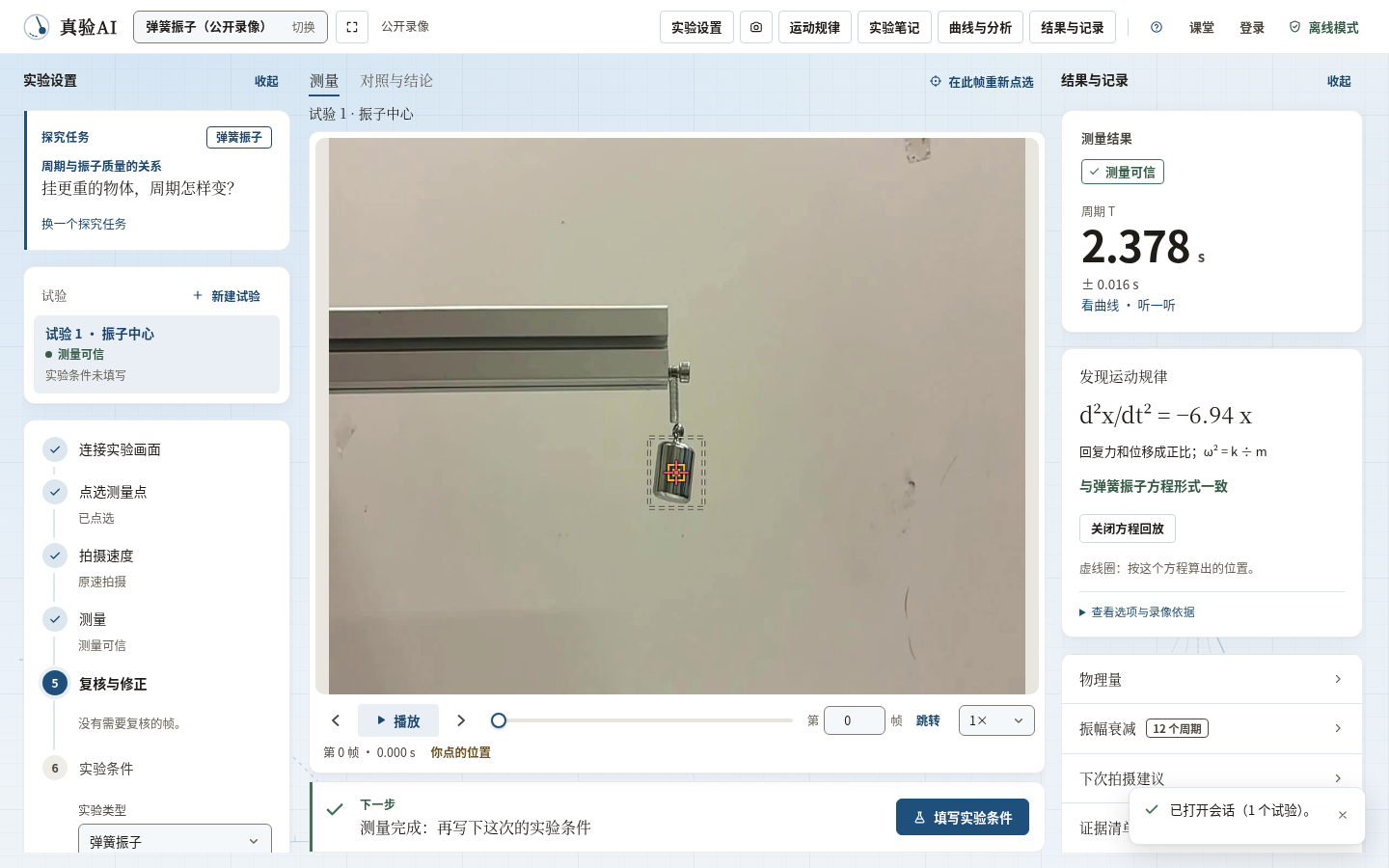
From a spring oscillator’s displacement trajectory, Zhenyan AI can select an equation of motion. It then replays the motion according to that equation for comparison with the measurements. Students can check the curve, equation, and experimental footage against one another.
Once the local language tutor is enabled, you can ask questions about the current experiment through “Ask” (问一问). The AI uses this measurement, the experimental conditions, and the evidence on the page to explain the result. Supporting evidence appears beside the answer. When you export a report, the tutor can also organize the run’s results into an AI summary. Explore Zhenyan AI’s AI capabilities.
Comparing several measurements lets students examine the relationship between variables. For a pendulum at a small swing angle, the period squared is proportional to its length, with g, the acceleration due to gravity, in the proportionality factor. Measure several lengths and record their periods; Zhenyan AI plots the period squared against length and finds g from the line’s slope. Varying the mass on a spring oscillator allows the same graph method to estimate the spring constant k. The graph shows whether the points approximately follow a straight line.
You can also listen to your data. Click “Listen” (听一听) and the swing turns into sound, so you can tell by ear whether the period is long or short; the result card can also be read aloud in the computer’s built-in Chinese voice. To compare two runs, Zhenyan AI plays their videos back aligned and in sync: two pendulums of different lengths swing together, and a few replays make it clear which one is slower.
Students can compare results through graphs, sound, and synchronized footage. The graph gives numerical values, the sound represents the period, and the footage shows differences in motion. Hear what a curve sounds like.
Zhenyan AI currently offers seven types of experiment and twenty-one built-in tasks: the pendulum, the spring oscillator, linear motion, free fall, horizontal projectile motion, collisions, and Hooke’s law. You can choose a textbook experiment or write a task around your own question.
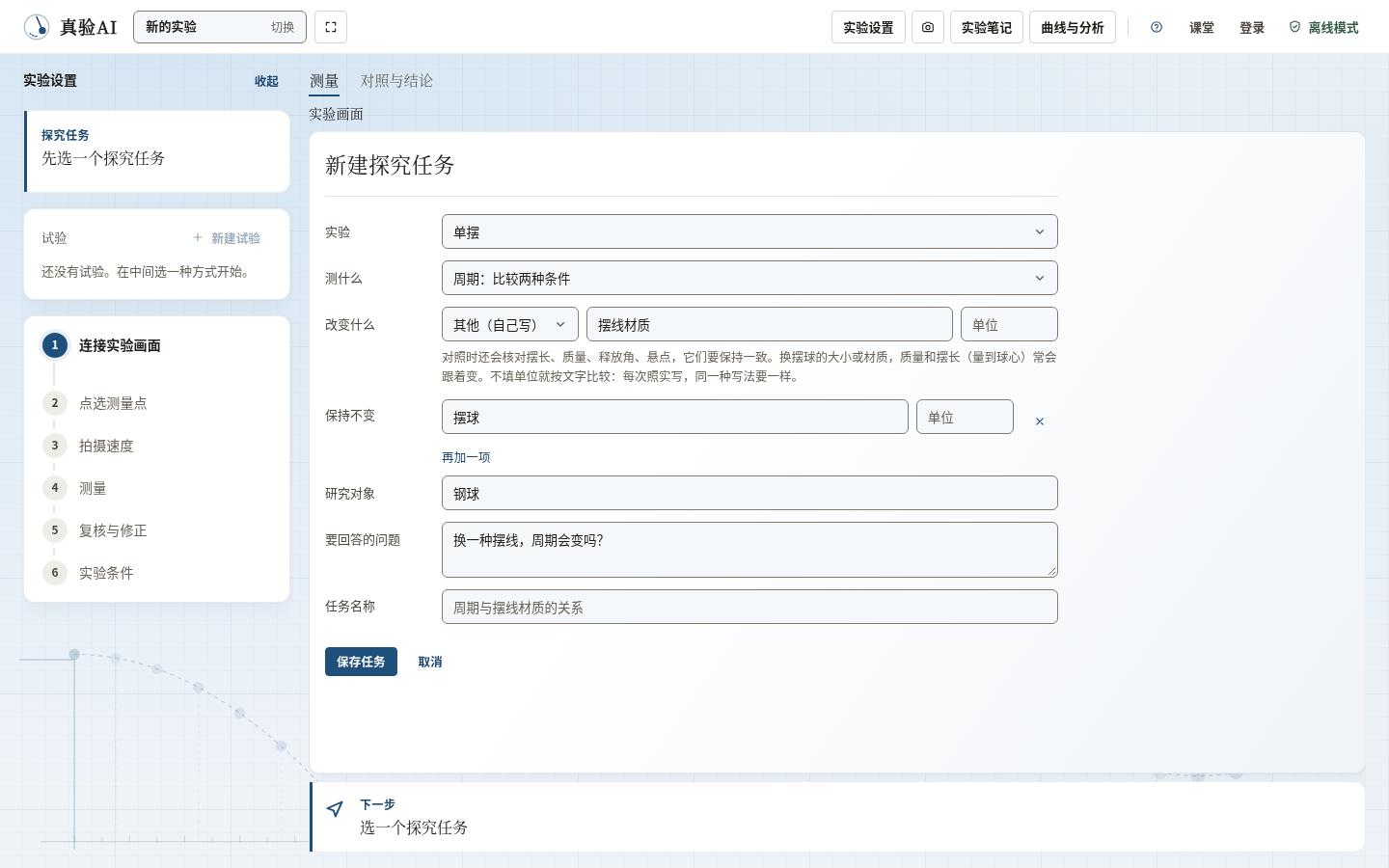
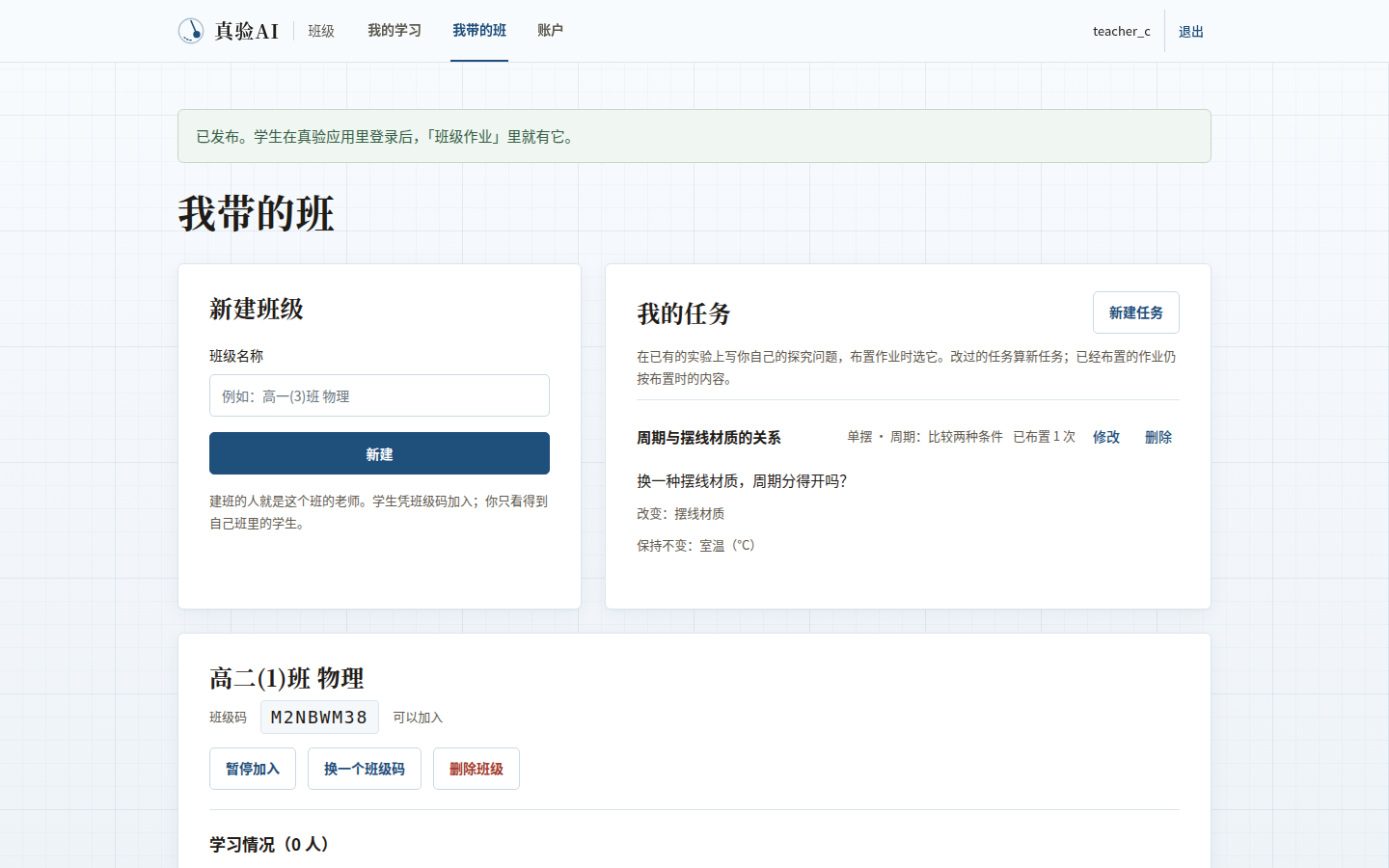
For example: “Will the period change if I use a different string material?” Choose an existing experiment workflow and write down the question and the object of study; for a period comparison, also spell out what changes and what stays the same. Once it is saved, you can take your own question through measurement, comparison and the report, and you can assign the same task to students. See the experiments and custom tasks.
Teachers can create classes, assign built-in or custom tasks, and view completion status and the learning summaries that students choose to sync. In a classroom on the same local network, teachers can distribute assignments and collect evidence packages that include the original video. They can inspect individual frames and recompute results on their own computer. Learn about the teacher features.
Teachers can reuse an inquiry task with another class, adjust the question or conditions for a new comparison, and plan follow-up work from the class’s completion status. The experiment records remain available for later discussion and lesson preparation.
All of this can start with devices you already own. The phone films and streams; measurement and AI analysis happen on the computer. Desktop versions for macOS, Windows and Linux are available now, along with an Android capture assistant, and an iPhone can connect to a compatible Mac through Continuity Camera. Local experiments need no sign-up, and the model behind the language tutor can be downloaded inside the app whenever you need it, then runs on your own computer.
For your next pendulum experiment, record its trajectory and check the data and explanation against the footage. Then repeat the experiment with a new question.
Sources and licenses for the experiment footage in the screenshots: third-party material notices.
Visit the Zhenyan AI website (in Chinese) and watch filmed demos · Download Zhenyan AI and start your next experiment