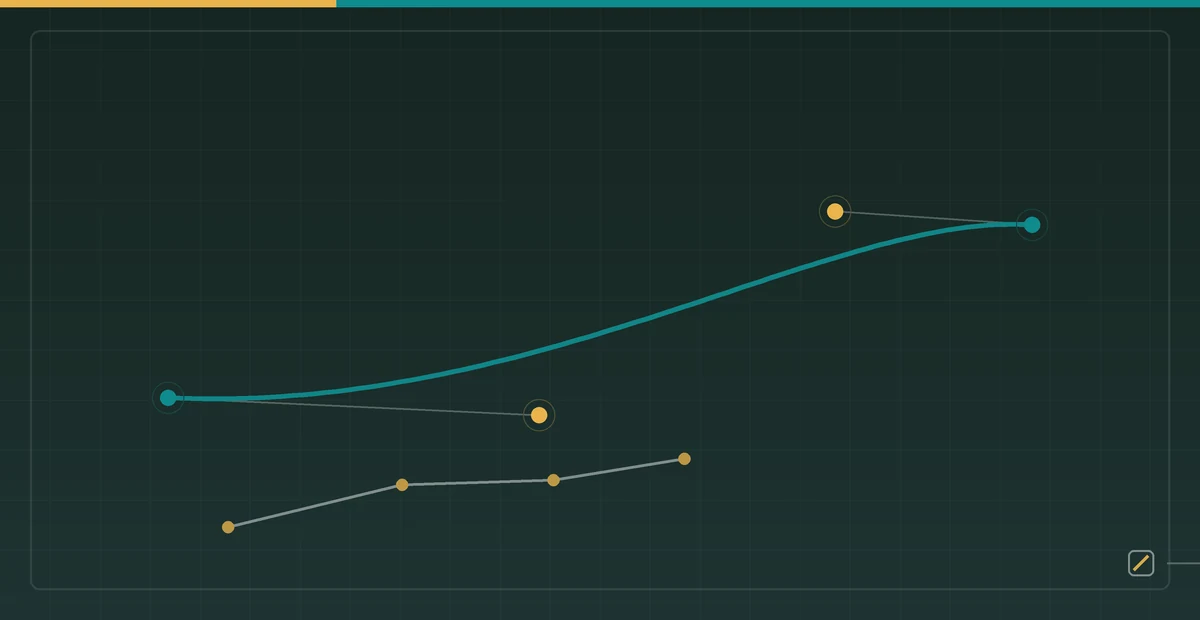

After a character is split into a head, torso, upper arm, and forearm, the first animation problem is not how each part moves. It is which coordinate system describes each part. If every layer stores world coordinates, moving a shoulder requires manually recomputing the elbow, wrist, and hand. A bone hierarchy turns that repeated work into matrix multiplication.
1. Local coordinates, pivots, and world coordinates
Let the upper arm be the parent bone and the forearm be its child. Put the forearm origin at the elbow and write a local point as v_local = [x, y, 1]^T. A 2D homogeneous transform combines translation, rotation, and scale in one 3 x 3 matrix:
M = T(tx, ty) R(theta) S(sx, sy)

T = [1 0 tx]   R = [cos(theta) -sin(theta) 0]
    [0 1 ty]       [sin(theta)  cos(theta) 0]
    [0 0  1]       [    0           0      1]
If the artwork origin is not already at the joint, rotate around pivot p with:
M_pivot = T(p) R(theta) T(-p)This explains the common bug where a limb orbits the top-left corner of the canvas: the implementation omitted the two translations that move the geometry to and from its pivot.
2. Why child bones multiply parent matrices
A child world matrix is not its local matrix. It is the parent world matrix multiplied by the child local matrix:
M_world(child) = M_world(parent) M_local(child)
v_world = M_world(child) v_local
Matrix multiplication is not commutative. T R rotates in local space and then translates into the parent frame. R T also rotates the translation vector and usually produces a different path.
3. A two-bone calculation by hand
Place the root at (180, 260), use an upper-bone length of 155, and rotate the parent by 25 degrees. The elbow is:
elbow.x = 180 + 155 cos(25°) = 320.48
elbow.y = 260 - 155 sin(25°) = 194.49
If the forearm adds a 40-degree local rotation, its world angle is 25° + 40° = 65°, not 40 degrees. With a length of 125, the end point is approximately:
hand.x = 320.48 + 125 cos(65°) = 373.31
hand.y = 194.49 - 125 sin(65°) = 81.20
The interactive diagram performs the same calculation. Change both sliders and compare the child local angle with its final world angle.
Matrices · FK
Skeletal Transforms and Forward Kinematics
Derive parent-child world coordinates from pivots, local space, and homogeneous matrices.
4. Binding SVG layers to bones
If the asset already contains <g id="left-forearm">, store each part’s parent ID, pivot, initial rotation, and layer order in a small manifest. At runtime, update the outer transform rather than rewriting path data every frame.
{
  "id": "left-forearm",
  "parent": "left-upper-arm",
  "pivot": [42, 18],
  "rotation": 0
}
Keep drawing order separate from bone hierarchy. The parent-child relation controls motion inheritance, while z-order decides whether the forearm appears in front of or behind the torso.
5. Common errors and a debugging order
- Wrong rotation center: verify that the pivot is in part-local coordinates and that the transform uses
T(p) R T(-p). - Child does not follow: verify
M_parent M_childinstead of applying the child local matrix directly. - Joint drifts under scale: identify which space owns non-uniform scale and avoid scaling child length twice.
- Wrong front/back order: maintain the SVG DOM drawing order separately from the bone graph.
6. Verify the hierarchy with invariants
Screenshots are weak tests for matrix code. Bind pose, zero rotation, and a parent-only transform all have predictable invariants that can become unit tests:
| Test | Input | Expected result | Bug exposed |
|---|---|---|---|
| Identity pose | Every local matrix is identity | Every vertex keeps its original coordinate | Hidden default scale or canvas offset |
| Root translation only | Root moves by (20, -10) | Every descendant receives the same world offset | Missing parent multiplication |
| Parent rotation only | Parent 30°, child local angle 0° | Child world angle 30° and bone length unchanged | Local angle used as a world angle |
| Pivot rotation | Transform the pivot point itself | Its world position is unchanged by rotation | Wrong T(p) R T(-p) order |
| Length preservation | Rotation and translation only | Joint distance changes by less than tolerance | Duplicate scale or malformed matrix entries |
In debug builds, record bone_id, local angle, world angle, pivot world position, and matrix determinant. Without scale, the determinant of the 2D rotation block should remain close to 1. A large deviation means scale or shear entered the chain unexpectedly.
7. Reference update order
updateWorld(bone, parentWorld):
    local = translate(bone.position)
          * translate(bone.pivot)
          * rotate(bone.angle)
          * scale(bone.scale)
          * translate(-bone.pivot)
    bone.world = parentWorld * local
    for child in bone.children:
        updateWorld(child, bone.world)
Traverse once from the root. If UI code, IK, and the renderer each mutate matrices independently, a frame can mix old and new poses. A more stable pipeline gathers every local channel first, computes all world matrices in one pass, and then gives read-only matrices to skinning and rendering.
Rebuild the matrix each frame; never accumulate onto the last one
One row of that table asks for a determinant close to 1, and the subtlest problem it catches is numerical drift from accumulated matrix multiplication.
Incremental animation invites this implementation: the character turns a little each frame, so multiply last frame’s matrix by a small delta rotation.
bone.matrix = bone.matrix * rotate(delta) // dangerousMathematically correct; in floating point, not. Every multiplication injects rounding error on the order of 1e-7, and the rotation block’s two column vectors slowly lose orthogonality and unit length. After a few thousand frames the matrix no longer expresses a pure rotation — it carries a small amount of scale and shear. The visible result is parts that gradually deform over a long playback, or sizes that slowly drift.
What characterises this class of bug is that short tests pass perfectly. A few seconds during development shows nothing; it only becomes visible after an idle loop has run for ten or fifteen minutes, and at that point almost nobody suspects the matrix code.
The dependable approach makes the angle the only state and reconstructs the matrix from it every frame:
bone.angle += delta                          // state is a scalar
bone.matrix = compose(bone.position,
                      bone.angle,
                      bone.scale)            // rebuilt each frame
Generalised: do not accumulate state in a floating-point matrix. State belongs in the smallest quantities that can be represented exactly — here the angle and position — with the matrix derived from them each frame. The same reasoning applies to quaternions: renormalising is not an optional optimisation but the step that prevents this exact drift.
If the architecture forces accumulation, at least re-orthogonalise periodically: normalise the rotation block’s first column, subtract its projection from the second column, and normalise that. The cost is trivial and it pushes the error back down.
Blending two poses is not element-wise matrix interpolation
The same principle has a second manifestation, which appears whenever two poses need blending — walk transitioning to run, or an aiming pose on the upper body over a locomotion pose on the lower.
The lazy implementation adds the two matrices element-wise by weight:
M = (1 - t) * M_a + t * M_b // wrongMathematically this is the same problem as the candy-wrapper: the set of rotation matrices is not closed under addition. A weighted sum of two rotation matrices is generally not a rotation matrix, so scale and shear creep into the intermediate states. Take the midpoint between two poses 90 degrees apart and the resulting matrix has a determinant of about 0.85 — the part shrinks by 15% during the transition and recovers at the end, reading as a small “breath.”
The correct approach decomposes to channels and interpolates each: translation linearly, scale linearly (or logarithmically), angle along the shortest path, then recompose a matrix.
pos   = lerp(a.pos,   b.pos,   t)
scale = lerp(a.scale, b.scale, t)
angle = a.angle + shortest_delta(a.angle, b.angle) * t
M     = compose(pos, angle, scale)
This is also why a skeletal system should store TRS channels rather than matrices. A matrix is a destination, not an intermediate representation — anywhere you need to interpolate, blend or average, drop back to the channel level.
Draw order flips as a group when the character turns
Earlier this article separated the bone hierarchy from draw order. In 2D that separation has a consequence 3D rigs never face, and it deserves its own note: when a character turns left or right, draw order must flip wholesale while the bone hierarchy stays put.
Facing right, the near arm is the right one and it draws in front of the torso, with the left arm behind. Turn the character to face left and the entire relationship inverts — the left arm is now in front. Nothing changed in the parent-child structure (the left arm is still a child of the torso); only z-order did.
Implementing the turn as a horizontal flip — mirroring the whole character across x — hides this, because the mirror swaps both arms’ positions at the same time. But as soon as the character needs intermediate frames during the turn, or an upper body facing one way while the lower body faces the other, mirroring is no longer enough and draw order has to be controllable independently of the pose.
The practical form is two order values per part, selected by facing:
{
  "id": "left-arm",
  "parent": "torso",
  "z_facing_right": 10,
  "z_facing_left":  90
}
The renderer sorts by whichever value matches the current facing. Facing is itself a state independent of bone angles, usually derived from the sign of the root’s horizontal scale or from an explicit facing field.
One detail that is easy to miss: the facing switch has to happen on a whole-frame boundary, never partway through a hierarchy traversal. If the facing used for sorting and the facing used for posing come from different moments within one frame, you get a frame where the arm has already moved across but the draw order has not flipped — a single-frame flicker that is hard to reproduce and harder to locate.
8. Next: solve joint angles from an end target
Forward kinematics answers, “Given these angles, where is the hand?” The next article, Two-Bone Inverse Kinematics, answers the reverse question. If the artwork still lacks stable pivots, start with the Character Image to SVG Animation Asset Pipeline.